




EMPOWERMENT
Bank Anytime, Anywhere
With the HHFCU Mobile App, managing your finances has never been easier. Enjoy the freedom to check balances, transfer funds, and pay bills from the palm of your hand. Manage your accounts, transfer funds, review history and pay your loans from your Smartphone or tablet. Once you have signed up for Virtual Branch, you can set up the HHFCU App from the Self Service Tab.


Effortlessly Deposit Checks Anytime, Anywhere with Mobile Deposit
With our Mobile Deposit feature, you can easily deposit checks from the comfort of your home or on the go. Just snap a photo, and your funds will be securely deposited into your account.
Manage Your Finances Anytime, Anywhere
With HHFCU Mobile App, you can effortlessly transfer funds and pay bills right from your mobile device. Stay in control of your finances while on the move, ensuring convenience and peace of mind.

TouchBanking has been UPGRADED to the new HHFCU mobile app!
If you currently use the TouchBanking app on your smart phone or tablet follow the steps below.
If you are NOT currently using the TouchBanking app and you would like to, skip to Step 4.
1. Launch the TouchBanking app on your smartphone or tablet.
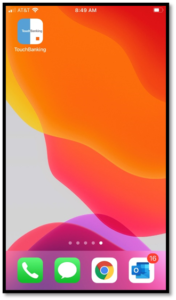
2. You will be prompted to upgrade to the new version. Click UPDATE NOW.

3. You will be redirected to your respective App Store (Apple App Store or Google Play).
4. Search for Hamilton Horizons FCU in your App Store and look for the New App Icon shown here:
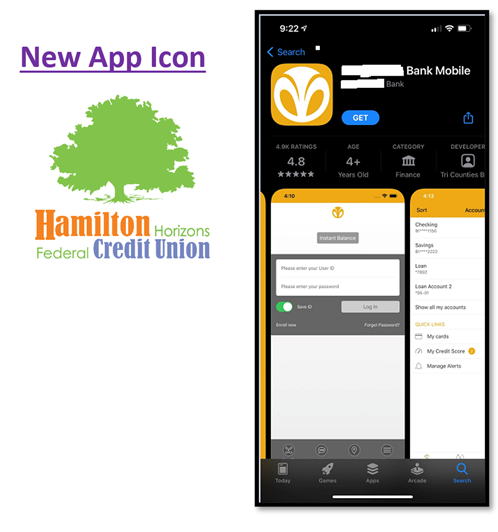
5. Download and install the new Hamilton Horizons FCU (HHFCU) App to your device.
Note: You must be enrolled in Virtual Branch Online Banking BEFORE using the mobile app. If you are not currently enrolled in Virtual Branch visit https://hamiltonhorizons.org/ to enroll and create a Login ID and Security Code (Password).
6. Next, login to the new HHFCU mobile app using your Virtual Branch Login ID and Security Code (Password).
7. Delete the old TouchBanking app from your device to alleviate confusion (if applicable).
If you need assistance, please contact us at (609)631-4300 x 3 and we will be happy to help you get connected!
FAQs
Explore our frequently asked questions about mobile banking services for your convenience.
What is mobile banking?
Mobile banking allows you to manage your finances from anywhere using your smartphone or tablet. You can check balances, transfer funds, and pay bills with just a few taps. It’s secure, convenient, and available 24/7.
Is it secure?
Yes, our mobile banking services use advanced encryption and security protocols to protect your information. We also offer features like two-factor authentication for added security. Your safety is our top priority.
How to enroll?
To enroll in mobile banking, simply log into your online banking account and follow the prompts. You can also download our mobile app and register directly. It only takes a few minutes to get started.
What features are available?
Our mobile banking app offers a range of features including account management, bill pay, and mobile check deposit. You can also set up alerts and notifications to stay informed. Enjoy the flexibility of banking on the go.
Need further assistance?
If you have more questions, our customer service team is here to help. You can reach out via phone or email for personalized support. We’re dedicated to ensuring you have a seamless banking experience.
Discover Your Financial Solutions
Take control of your financial future with Hamilton Horizons Federal Credit Union. Whether loans, savings, or planning ahead - we have got tailored option waiting...